June 2022
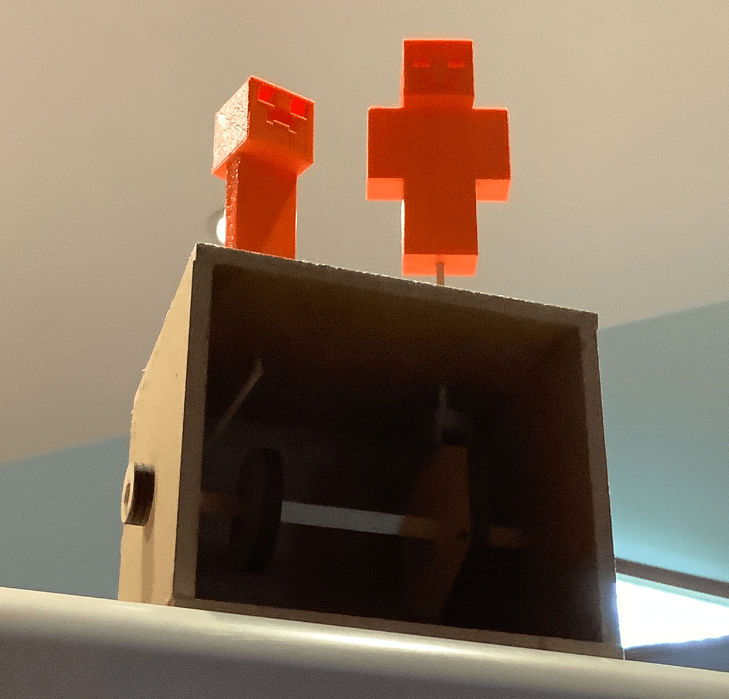
The project started with us designing the boxes in Autodesk Inventor. Our teacher talked to us about the assembly lines, how each person can have one job and the product is passed from one person to another down the line. He told us that the production speed is determined by the slowest person. To observe this fact, we built our own boxes in an assembly line. One teammate measured, another drilled, and the last glued the wood.
Next, we had to design our cams and cam followers (shapes that are placed inside the box to create the motion), and objects in Autodesk Inventor. I chose to use a circle and a hexagon as my cams and two figures from Minecraft – Steve and a Creeper as my animated objects. We used laser cut wood to create our cams / followers and a 3D printer for the objects. Unfortunately, we had only orange colored 3D material, so I ended up with an orange Creeper instead of a green one.
Course: Design and Drawing for Production PLTW
Tools used:
- Autodesk Inventor
- Laser Cutter
- 3D Printer

 Berk @Nisky